
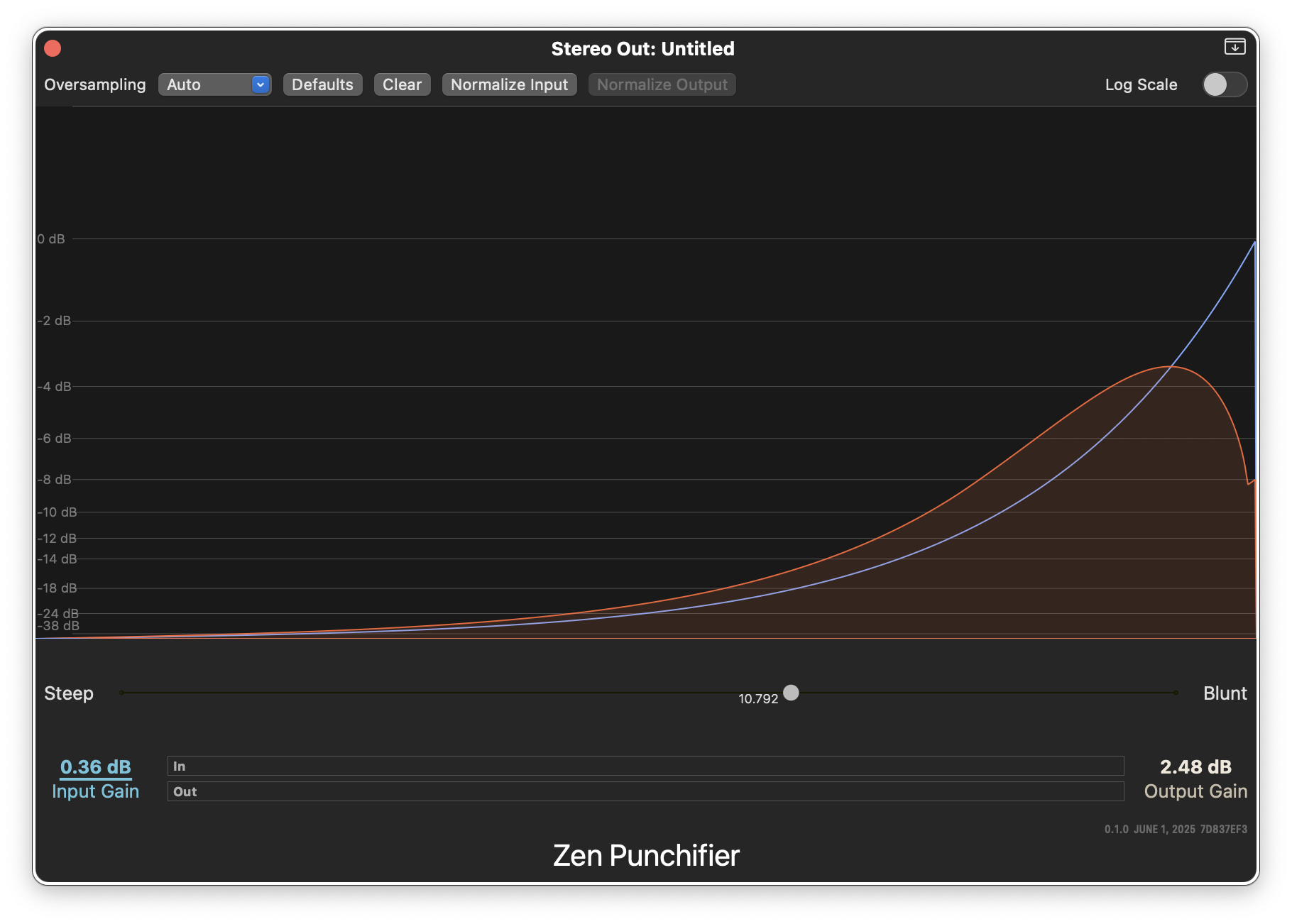
Zen Punchifier takes a digital-first approach to managing transients in audio, to make your tracks or mixes more up-front and “in-your-face”.
It subtlely, transparently, reduces the volume of transients above a threshold using a unique algorithm that minimizes artifacts.
It operates based on a single steep/blunt control - it sets the threshold level. The rest is automagic. It introduces as small amount of musically pleasing harmonic distortion (as do all compressors and limiters), as part of the way its algorithm works. That enhances the punchiness of kick drums and bass. At low settings, it’s undetectable, and at higher settings, adds a subtle warmth.
Uses
- Subtlely increasing the overall volume of a mix - without sounding like a casualty of the loudness wars!
- On a drum track - particularly overheads - where transients from drum hits are preventing bringing the cymbals up to the right level, where EQ would thin things out too much, the Punchifier plugin can transparently bring everything in.
- In place of a limiter at the front of a vocal chain, the Punchifer plugin is great for pulling a vocal to the front with minimal artifacts
Zen Punchifier really wants signals that go all the way up to 0dB to work its magic; signals that go above that will be gently limited. It is not quite a compressor, not quite a limiter, but a bit of both!
Caveats
The Punchifer plugin’s algorithm really wants normalized audio - peaks that reach 0dB. You can use the input and output gain settings to achieve this if the track’s signal level is quiet.
The Normalize Input button will, once some audio has been played through the plugin since the window was opened, adjust the input gain so it reaches 0dB. This is based on audio input tracked by the user interface - it does not know the volume of the loudest sound on your track, only what it has seen - be sure to play the loudest portions of the input track first.